How to Transfer Chase Ultimate Rewards
Last modified on
Before transferring points, use AwardTool to find an award, then confirm it with the loyalty program that will book it. Check the exact dates, seats for every traveler, each flight segment's cabin, the points price, and all taxes and fees. For hotels, confirm every night, room type, and guest count. A search does not reserve availability. These screenshots illustrate U.S. transfer workflows; current labels and eligibility can vary by account.
1. Confirm the award and choose its booking program
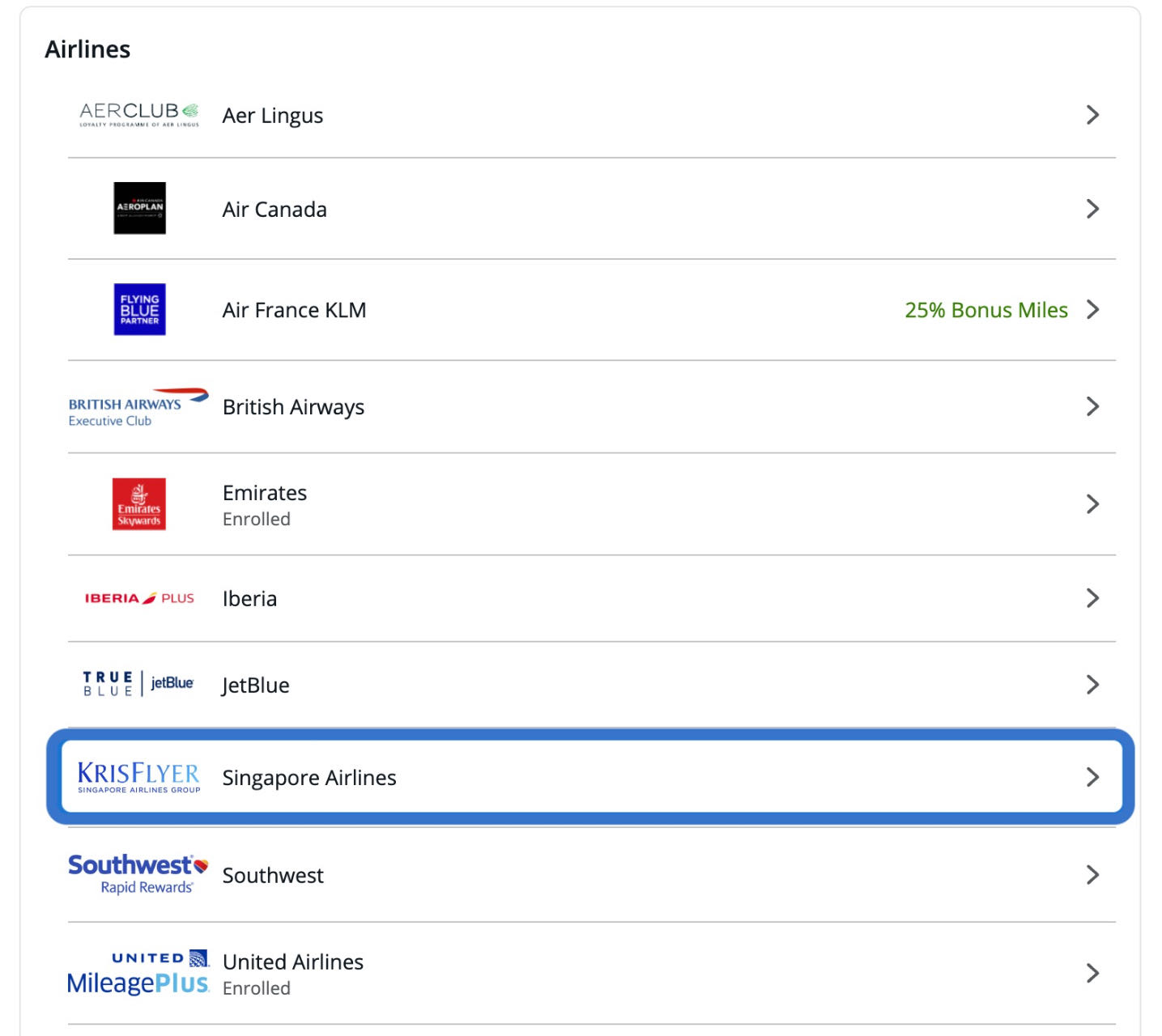
Choose the loyalty program that quoted your verified award; it can differ from the airline operating the flight. Check its booking, change, and cancellation rules. If it offers an award hold, confirm the conditions and expiry. If the award disappears before you submit a transfer, stop and find another bookable option.
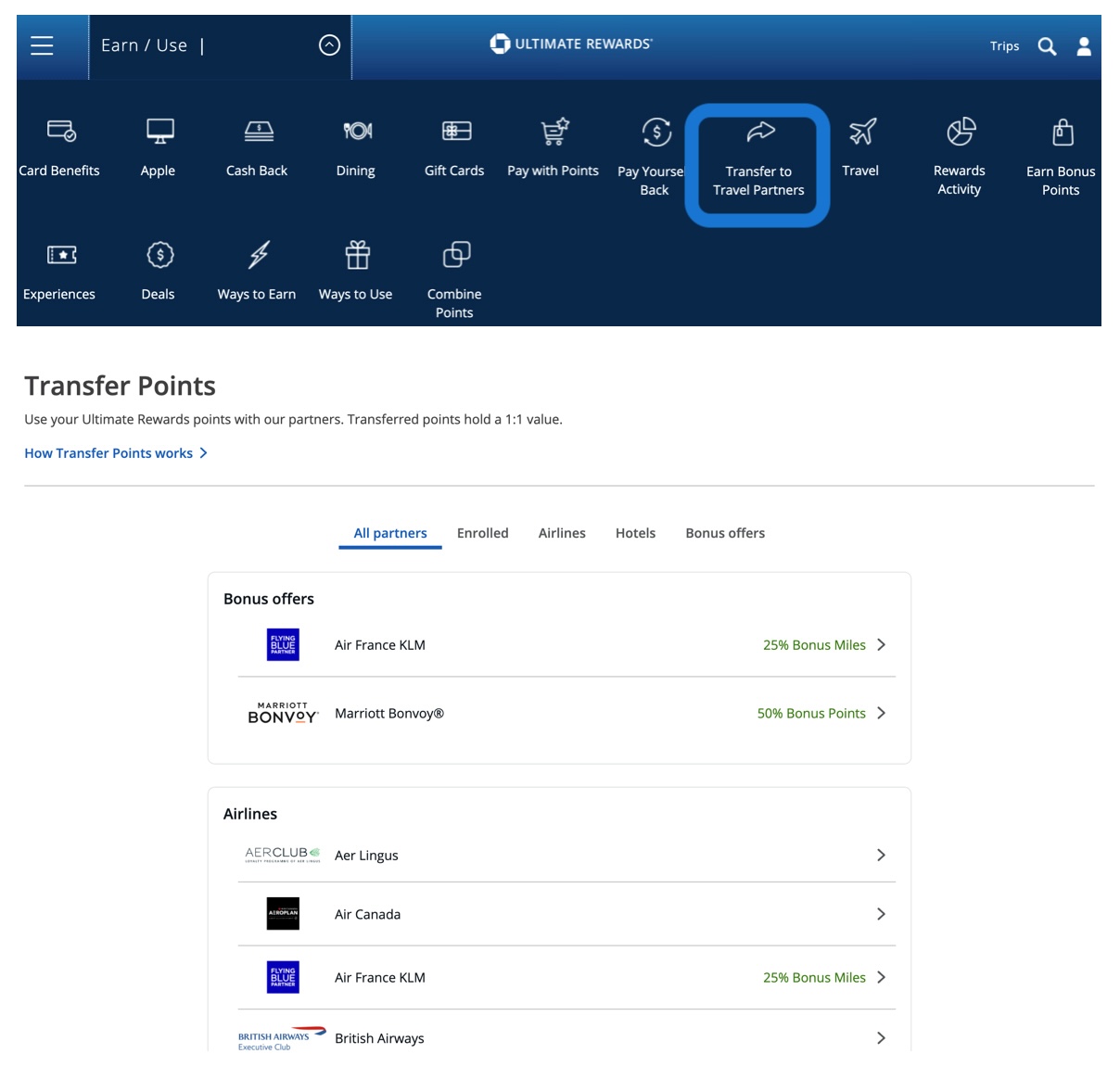
Sign in to Chase, choose the eligible Ultimate Rewards card account, and open the rewards portal. Look for Transfer to Travel Partners to see the partners available to that account. If the option is missing, check your card's eligibility with Chase; not every Ultimate Rewards card can transfer directly.
2. Link an eligible loyalty account
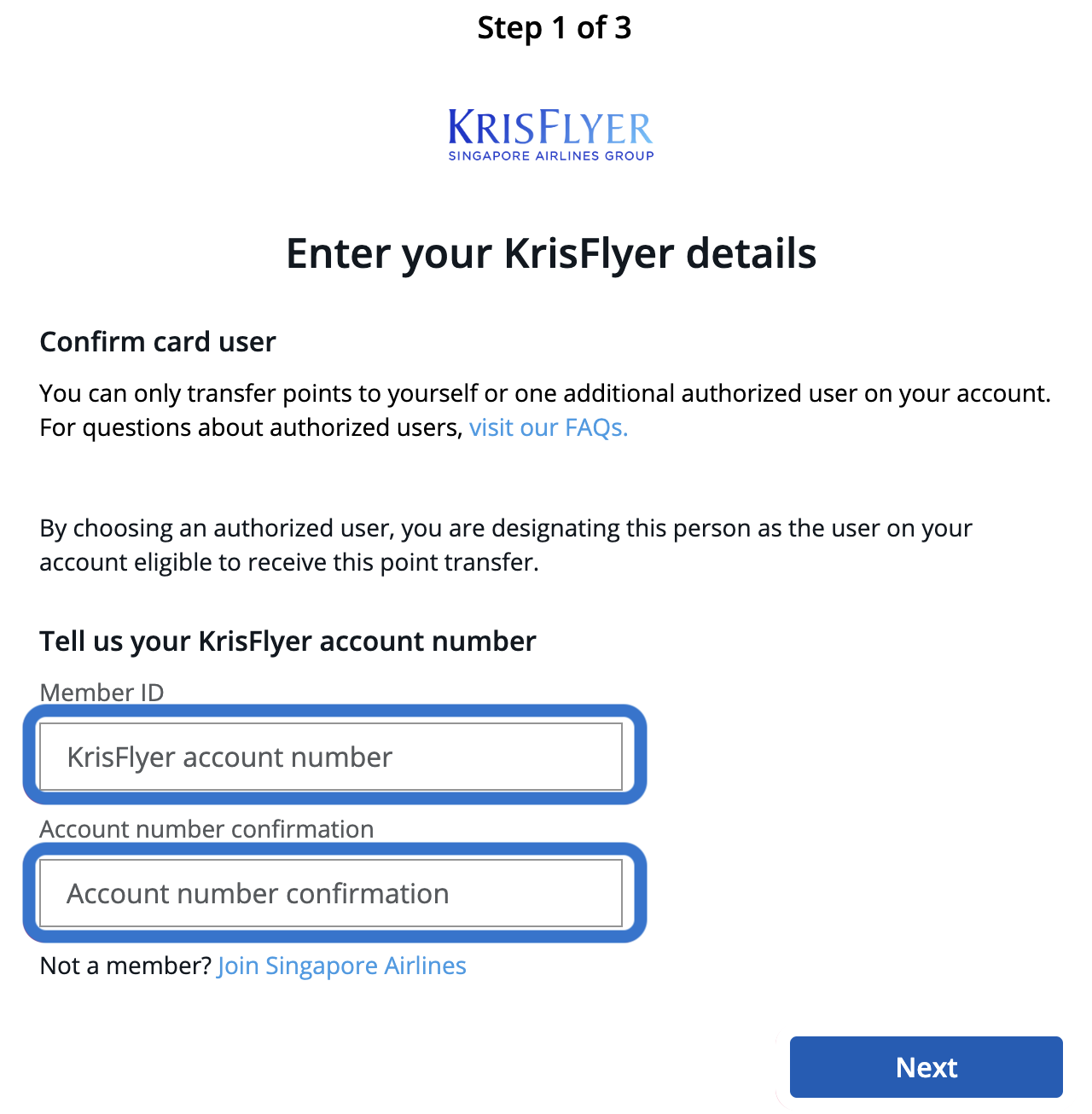
Enter the receiving loyalty account's membership number and account holder's name carefully. Use your own account, or a recipient explicitly allowed by your issuer's transfer terms. Match the details to the loyalty program's records and complete any required verification before continuing.
The receiving loyalty account and the traveler on a ticket are different roles. Booking an award for another traveler does not automatically make that person's account an eligible recipient for your points transfer.
3. Calculate and review the transfer
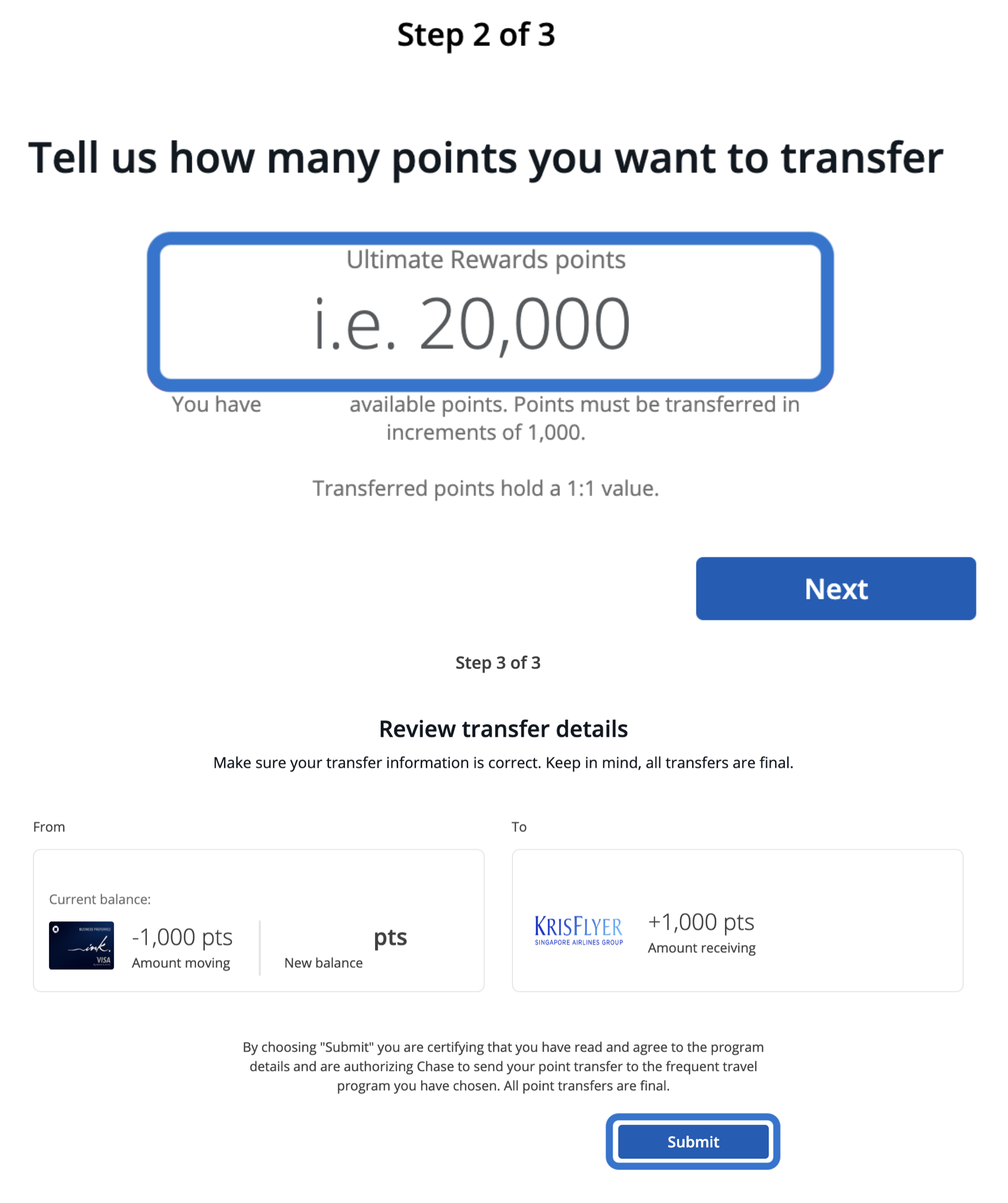
Check the rate and processing estimate in Chase's transfer screen. Chase's published instructions use 1,000-point increments. Calculate the amount needed after subtracting points already in your loyalty account. Processing can take several business days, so do not assume the points will arrive immediately.
Recheck the award before submitting. Review the receiving program, account holder, membership number, transfer amount, conversion rate, processing estimate, and any fees. Account for your existing partner balance when choosing the amount. Follow the displayed minimum and increments, and read the final terms. Submit only when everything is correct: transfers are final under the applicable terms and do not reserve your flight or hotel.
4. Confirm the points arrived, then book
Wait until the points have posted to the receiving loyalty account; a transfer request or email is not a posted balance. Recheck the same itinerary or full hotel stay, all travelers or guests, cabins or room type, points, and cash charges. Complete the booking with the loyalty program and verify that the ticket or hotel reservation was issued.
If points do not arrive within the stated processing period, check the transfer history and contact your bank or the receiving program with the reference before sending another request. Do not duplicate a pending transfer. If availability changes, the transferred points remain subject to the receiving program's rules. Keep the transfer record and final booking confirmation.
Need Help?
Contact support at team@awardtool.com