Award Hotels Guide
Last modified on
The AwardTool Hotel feature helps you maximize points and free-night value by tracking award availability across the four major hotel loyalty programs: Hilton Honors, IHG One Rewards, Marriott Bonvoy, and World of Hyatt.
You can search by destination and travel dates, or browse a full directory of tracked hotels to discover high-value redemptions around the world.
Workflow A: Destination & Date Search
A1. Search from the Main Page
Use this when you already have a trip in mind.
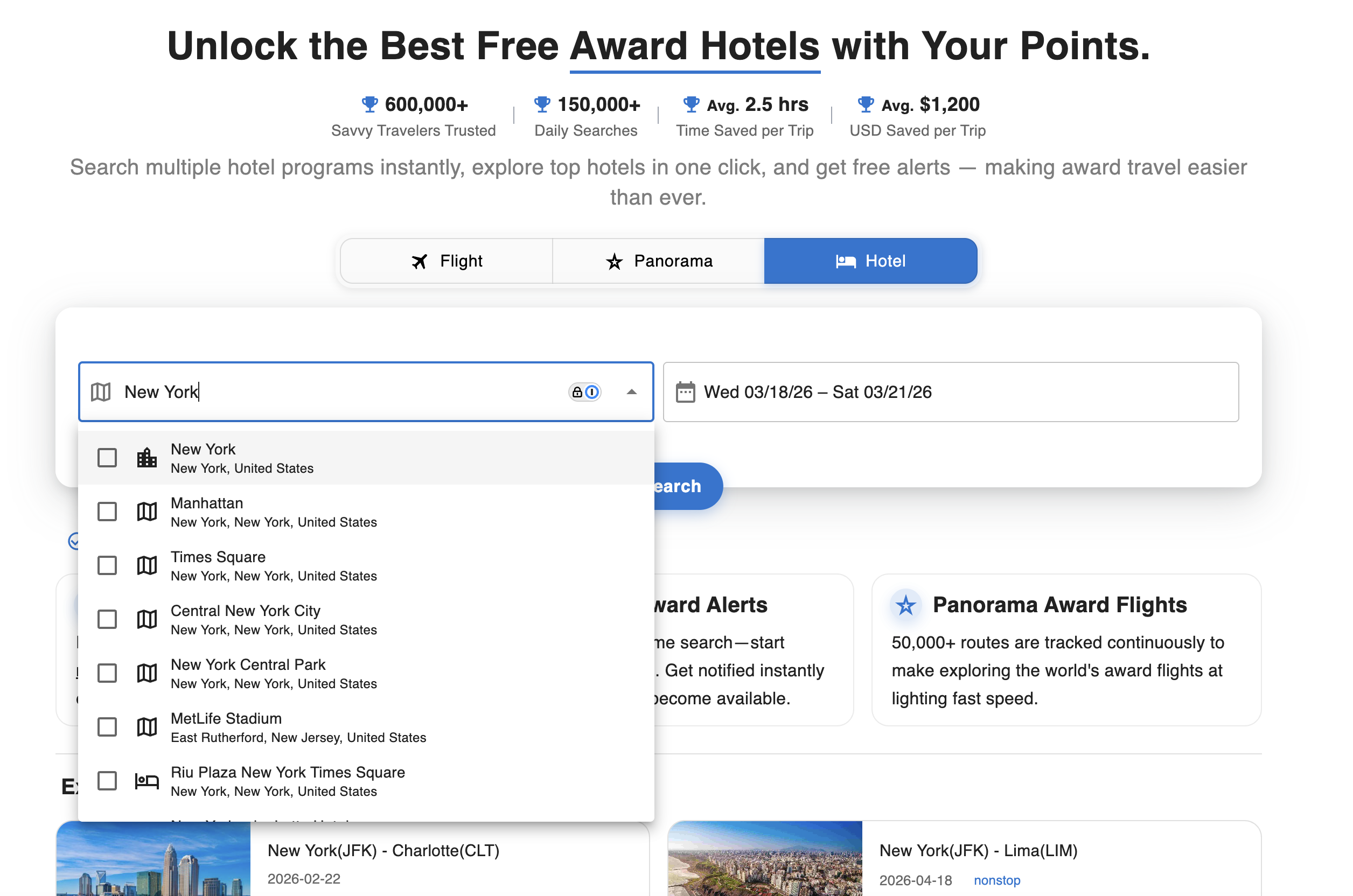
- Start a Search: Open the Hotel tab, enter a location (city, landmark, or address), and select travel dates.
- Cross-Brand Query: AwardTool checks all four major hotel programs for your destination and date range.
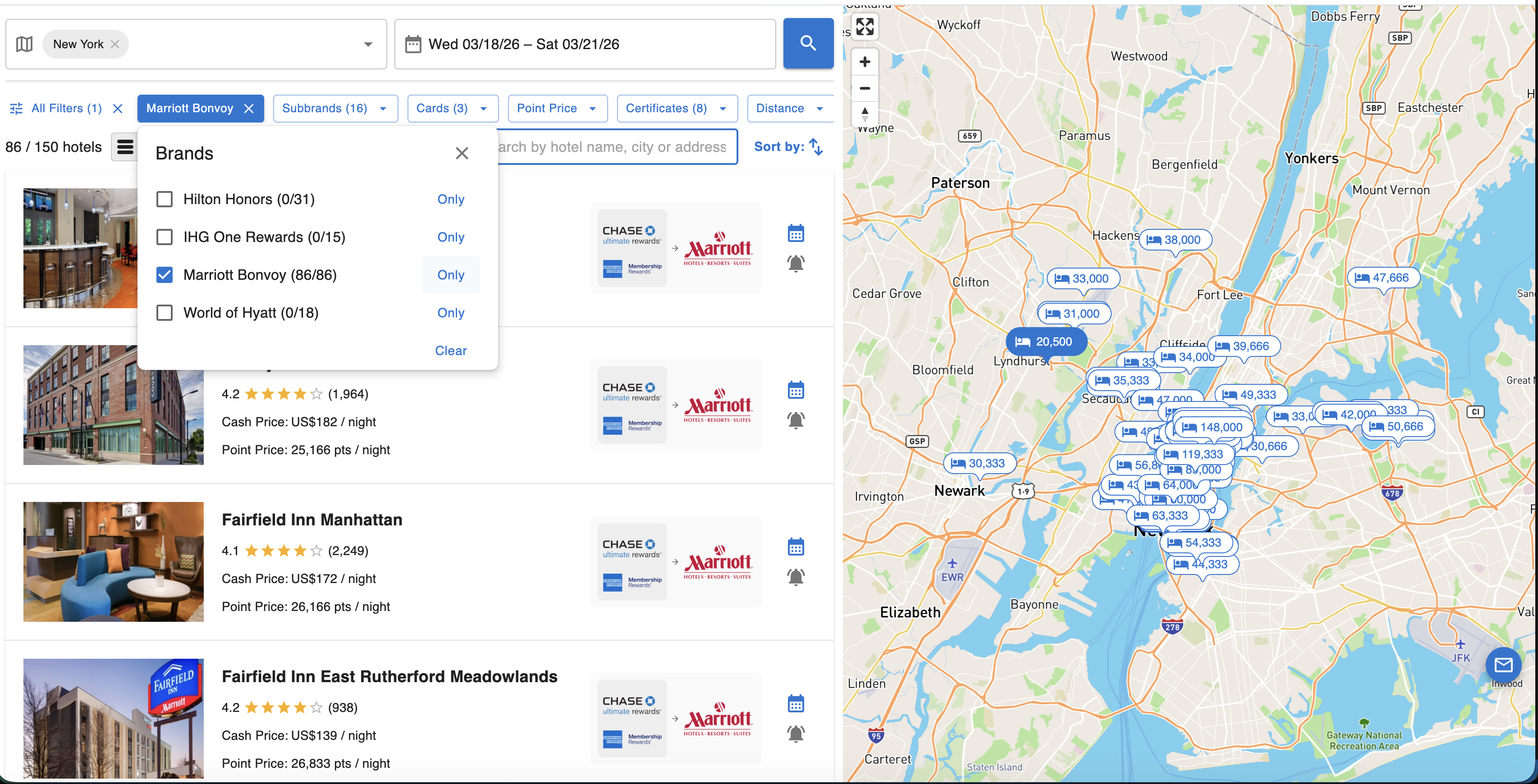
- Split-View Results: Review hotels in a scrollable list while seeing point-price map pins on the interactive map.
- Hotel Card Insights: Compare cash price vs points, transfer pathways, and quick actions for yearly views and alerts.
A2. Use Advanced Filters to Find the Best Match
With thousands of properties, filters help you focus quickly.
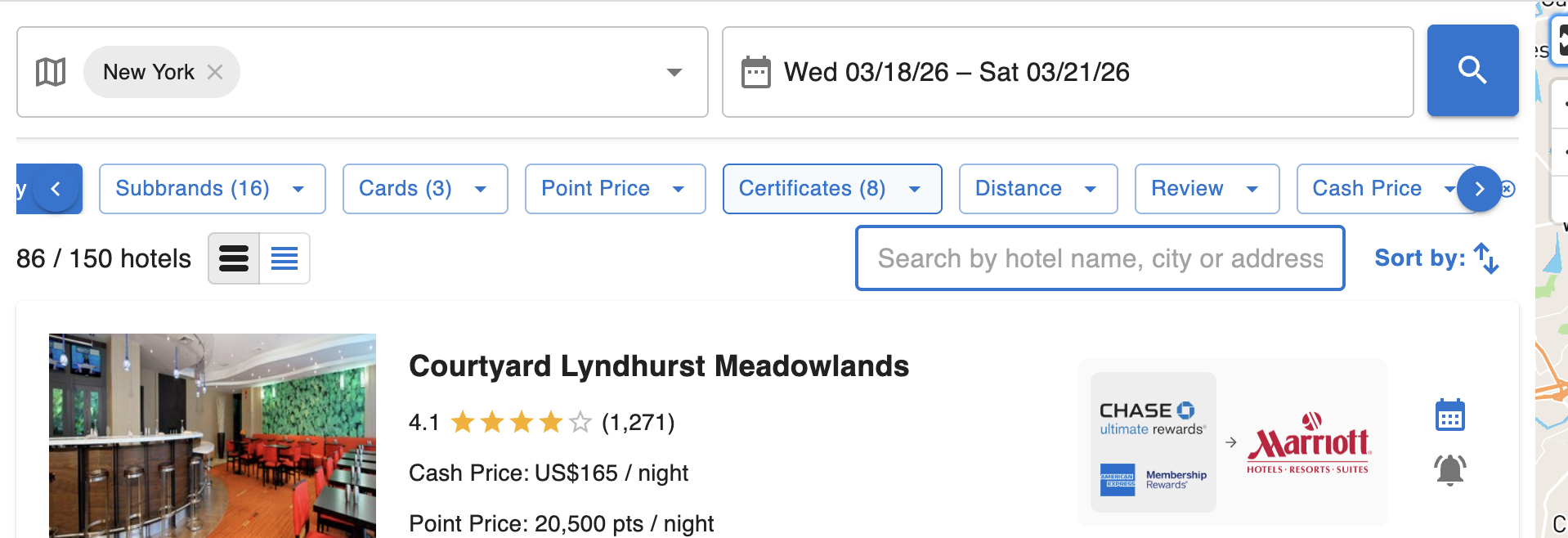
- Brands & Sub-brands: Filter by Hilton, IHG, Marriott, Hyatt, then drill into specific chains (for example St. Regis, Waldorf Astoria, etc.).
- Cards / Transfer Paths: Show only hotels you can realistically book with your current points ecosystem.
- Value Controls: Add limits for point price, cash price, certificate compatibility, distance, and user review quality.
Workflow B: Explore Tracked Hotels
B1. Browse the Hotels Directory
Use this when you are flexible and want to discover where your points go furthest.
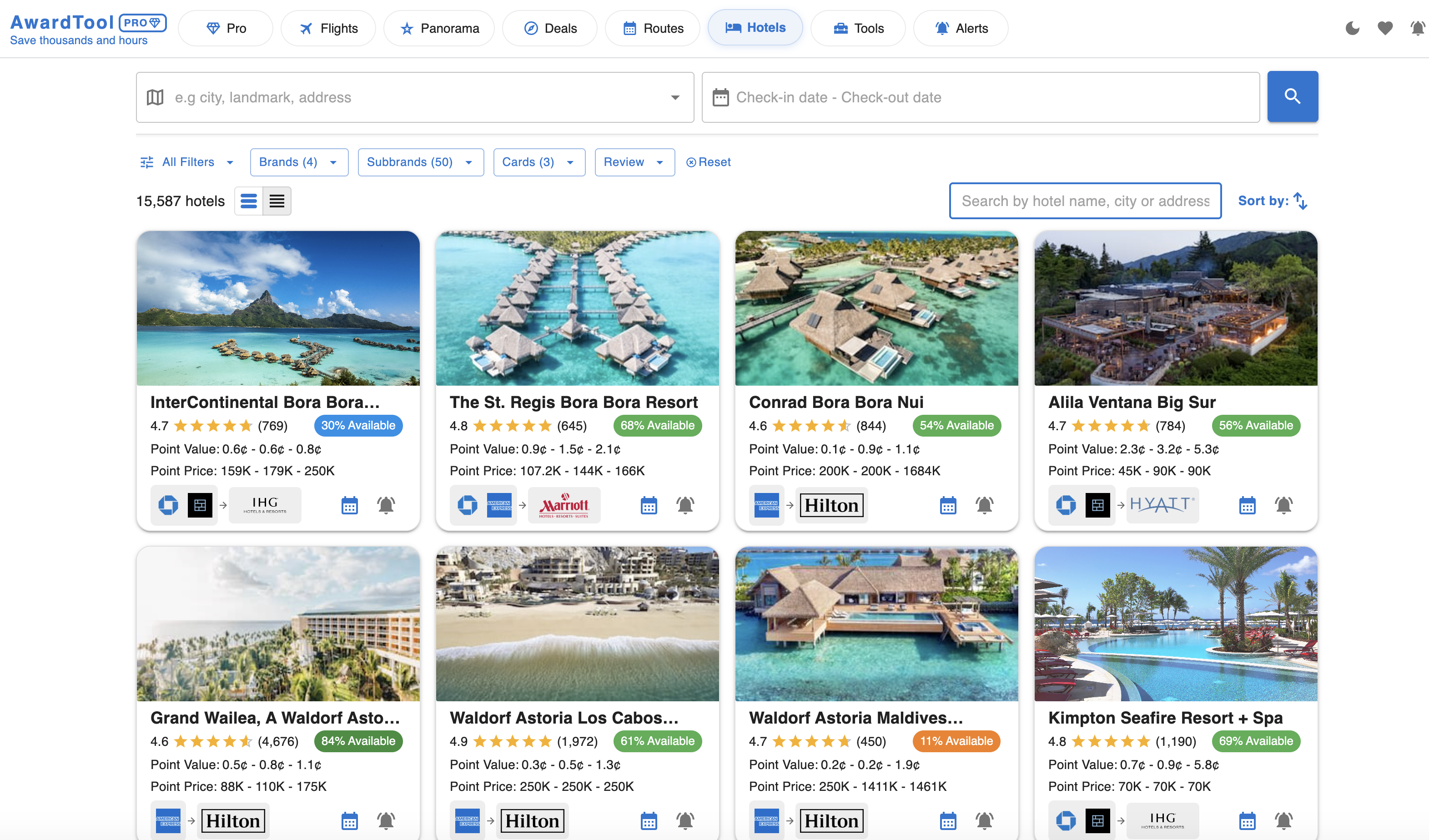
In the Hotels tab, you can browse a large directory of tracked properties (for example aspirational resorts in Bora Bora or the Maldives).
- Rich Property Cards: See photos, ratings, review counts, point ranges, and transfer pathways.
- Availability Badge: Instantly understand booking difficulty (e.g., 54% available vs 11% available).
- Point Value (CPP): Evaluate redemption quality before opening full details.
B2. Analyze Full-Year Availability (Calendar & List)
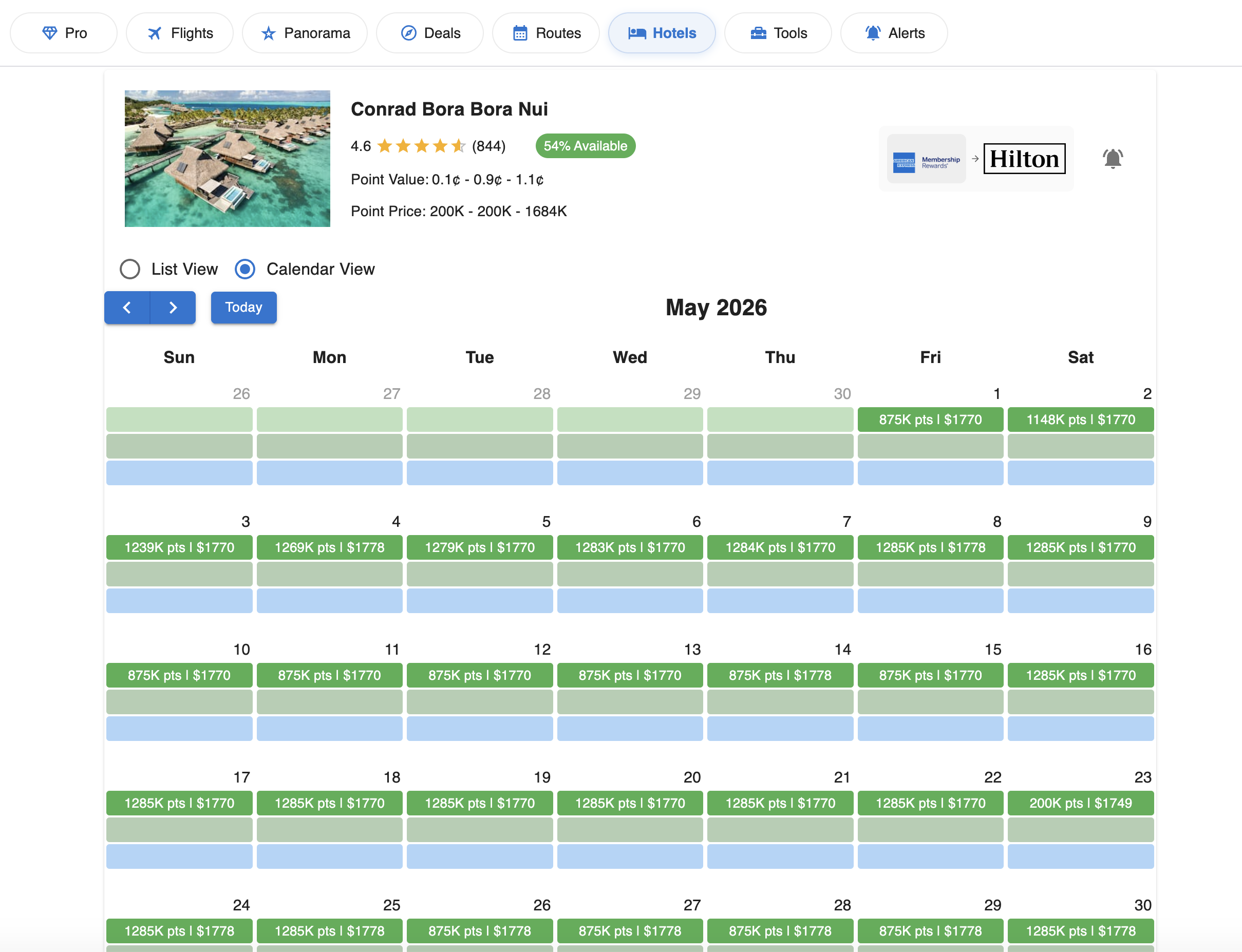
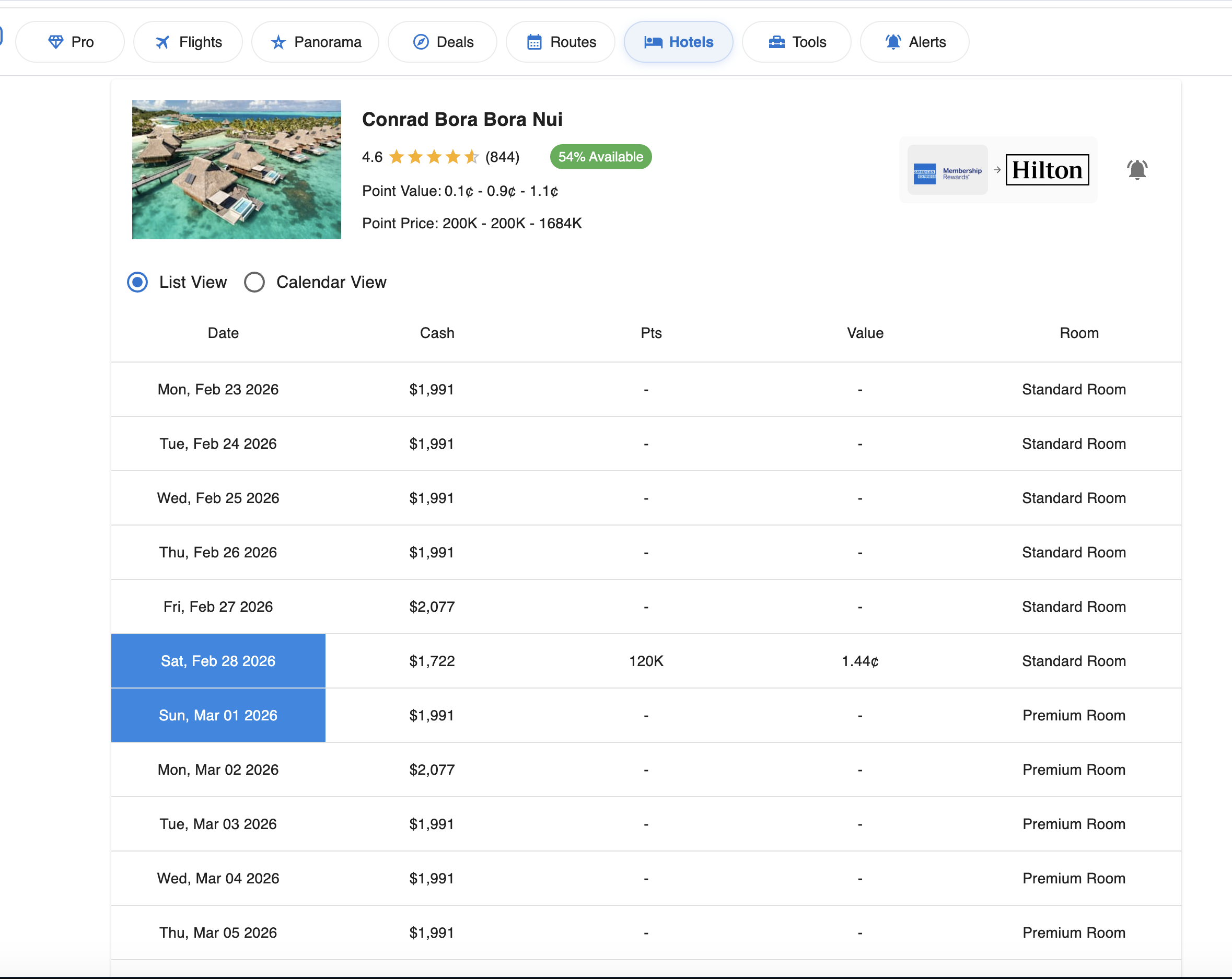
Once you open a hotel, AwardTool lets you inspect award nights for the entire year.
- Yearly Calendar View: Scan monthly availability visually. Dates show point cost and cash equivalent, making it easy to pick value dates fast.
- Yearly List View: Review date-by-date rows with points, cash rate, point value, and room-type detail (standard or premium).
Hotel Alerts (Applies to Both Workflows)
Set Hotel Alerts So You Never Miss Availability
Award space changes constantly. Use alerts to track hotels automatically.
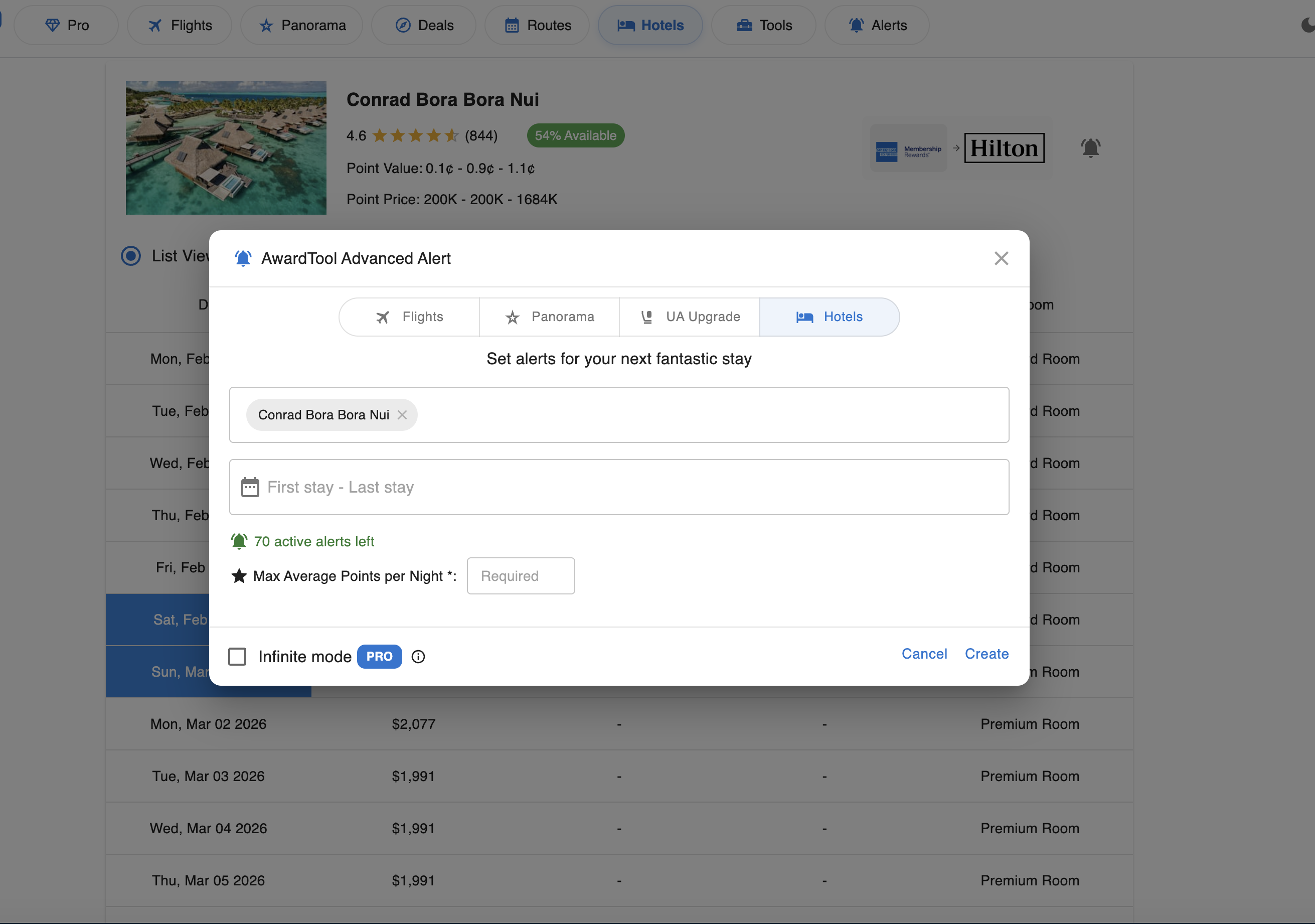
- Trigger Point: Click the bell icon from a hotel card or property detail page.
- Alert Settings: Define hotel, date window, and max average points-per-night target.
- Pro Tracking: Pro users can enable continuous monitoring with infinite mode.
Why These Workflows Are Powerful
- Visual Transfer Pathways: Logo-based transfer routing makes it obvious how to fund a booking with bank points.
- Availability Heat Signals: Availability percentages provide instant context before you click into details.
- Balanced List + Map Interface: You get point economics and geographic context in one place without tab-hopping.
With AwardTool Hotels, you can move from trip idea to bookable award strategy much faster while squeezing more value out of every point.
Need Help?
Contact support at team@awardtool.com